.jpg)
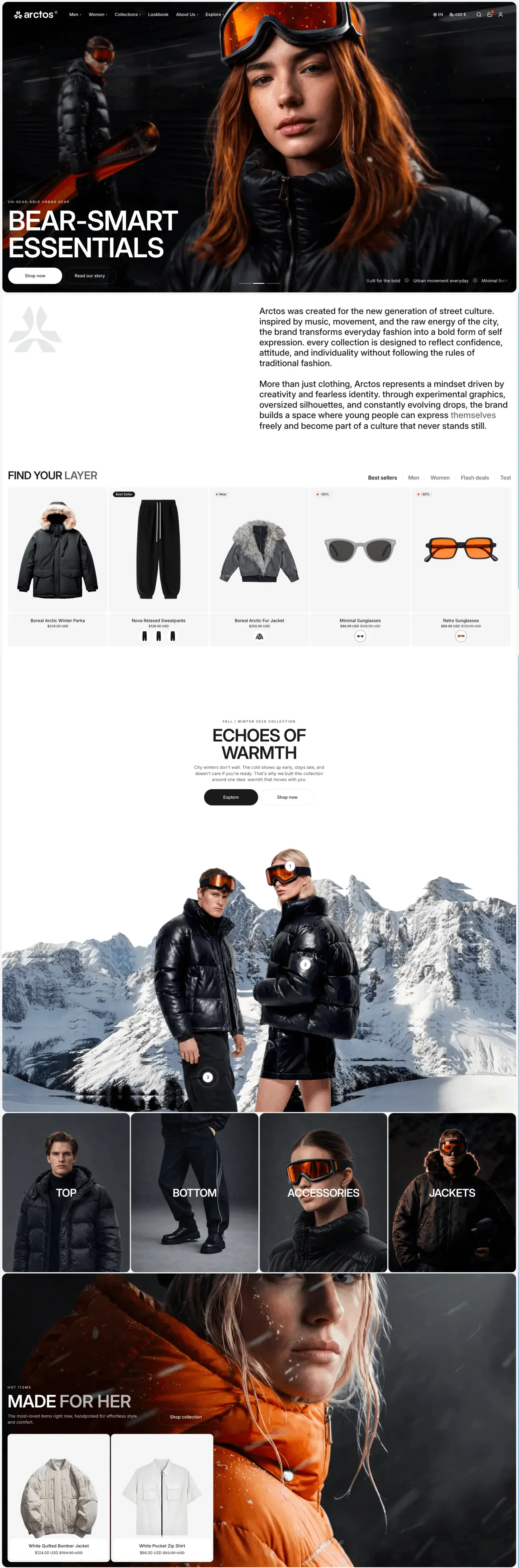

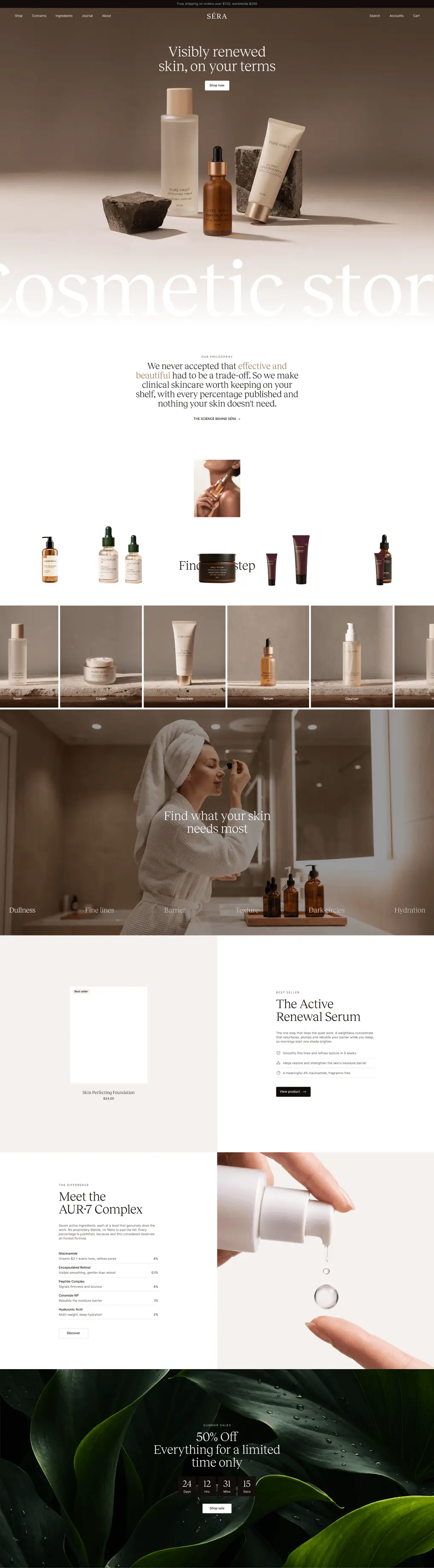
When we started work on Arctos 2.0, we didn't set out to add as many features as possible. We went back to the things merchants use every day: the homepage, product cards, the add-to-cart button, menus, product pages. And we asked a familiar question: where can this be better?
Arctos 2.0 is our answer. Not a different theme, but an Arctos made with more care: faster, smoother, and more refined in the places your customers touch most.
Sections that move
Your homepage has a few seconds to make shoppers stop. So 2.0 brings merchandising sections built to catch the eye.
- Featured Products Slideshow: a full-width, animated product showcase.
- Featured Collection and Featured Product: put a hero product or range on any page.
- Shop the Look Split: an image with clickable hotspots, alongside products in a carousel or static layout.
- Popup: for promotions, sign-ups and announcements.
Browse, choose and add to cart without leaving the page
Every time shoppers have to open a new page just to pick a size, they get one more reason to stop. In 2.0, that happens right where they are.
Quick View shows images, options and pricing in a popup. Quick Add lets shoppers pick a variant and add to cart straight from the product card. Both are preloaded, so when a shopper taps, everything appears almost instantly.
On mobile, Quick View, Quick Add and other popups now share one style: a sheet that slides up from the bottom of the screen, with a drag handle, and closes with a swipe. Exactly the gesture phone users already know. And you get separate settings for desktop and mobile.
Small details that make a store feel premium
Shoppers rarely know why a store feels premium. Usually it's the small movements they sense without noticing.
In 2.0, content reveals gently as shoppers scroll. The cursor changes shape depending on what it's over, and buttons have a subtle magnetic pull as the cursor comes close. For shoppers who've turned on reduced motion on their device, animations are simplified automatically. Beautiful, but never something anyone has to put up with.
Landing pages that don't look like a template
The new blocks in 2.0 give you more freedom to build pages your own way.
Sticky Content keeps content pinned while the page scrolls past, which suits product stories and lookbooks. Testimonial Listing brings customer voices onto the page, and Google Maps shows the way to your store. More importantly, every section can now use separate images and videos on mobile, so shoppers on phones see art direction made for them.
Product cards that show more, without more clutter
Product cards are what shoppers see most in your store. In 2.0, cards can show star ratings and play video. And when a shopper chooses a colour, the image, price, badges and availability all update right on the card, without opening the product page.
Menus, blog and product galleries, rebuilt too
The header has been redesigned, with tabbed mega menus and smoother sticky and transparent states. The top bar can now hold announcements, countdowns, menus, social links and language and currency selectors. Shoppers find products faster with quick filters, a child-collection template, and improved sorting, pagination and tabbed search results.
The blog has two new article layouts, Classic and Bento, so your stories read like a magazine, with blocks for sharing, comments, related articles and previous and next navigation. And product galleries let you set the grid columns, gaps, thumbnail position, pagination style, backgrounds and corner radius, with sharper images on large and high-resolution screens.
Most of the work is the part you don't see
Most of the time spent on 2.0 went not into what appears on screen, but into speed. Images adapt to the size of the screen, content that isn't needed yet loads later, and animations are lighter on mobile. The result: pages that load faster and scroll more smoothly.
We've also improved keyboard navigation, focus handling, form validation and touch-target sizes on mobile. Things few people notice, until they're missing.
For merchants and agencies already using Arctos
Arctos 2.0 is a manual update. Because section structures and settings have changed, the theme can't update your existing version automatically. Review the new version before publishing. If your store has custom CSS or code, you may need to reapply it.
One more change to know about: 2.0 currently supports English, French and Spanish. If your store uses another language, check carefully before switching.
If you're a merchant, we've written a detailed guide to updating to a new major theme version [link to article 5]. But you don't have to do it alone. If your store is running Arctos 1.0.0, the team that built Arctos will update it to 2.0.0 for you, completely free. Just send us a request, and leave the rest to us.
If you're an agency building client stores with Arctos, 2.0 gives you more to work with on every project: more sections and blocks to build different layouts without writing code, separate desktop and mobile settings, and a child-collection template. For client stores running Arctos 1.0.0, we'll also update them to 2.0.0 completely free. Just tell us which stores need updating, so your team can focus on new projects instead of redoing finished ones.
And this isn't the last version
Every Arctos update is free, for life. 2.0 is a big step, but it isn't the finish line. We'll keep looking again at the familiar things, and making each one a little better.
.jpg)
